What File Formats Does Embroidery Accept?
- October 12, 2026
- 2:44 am
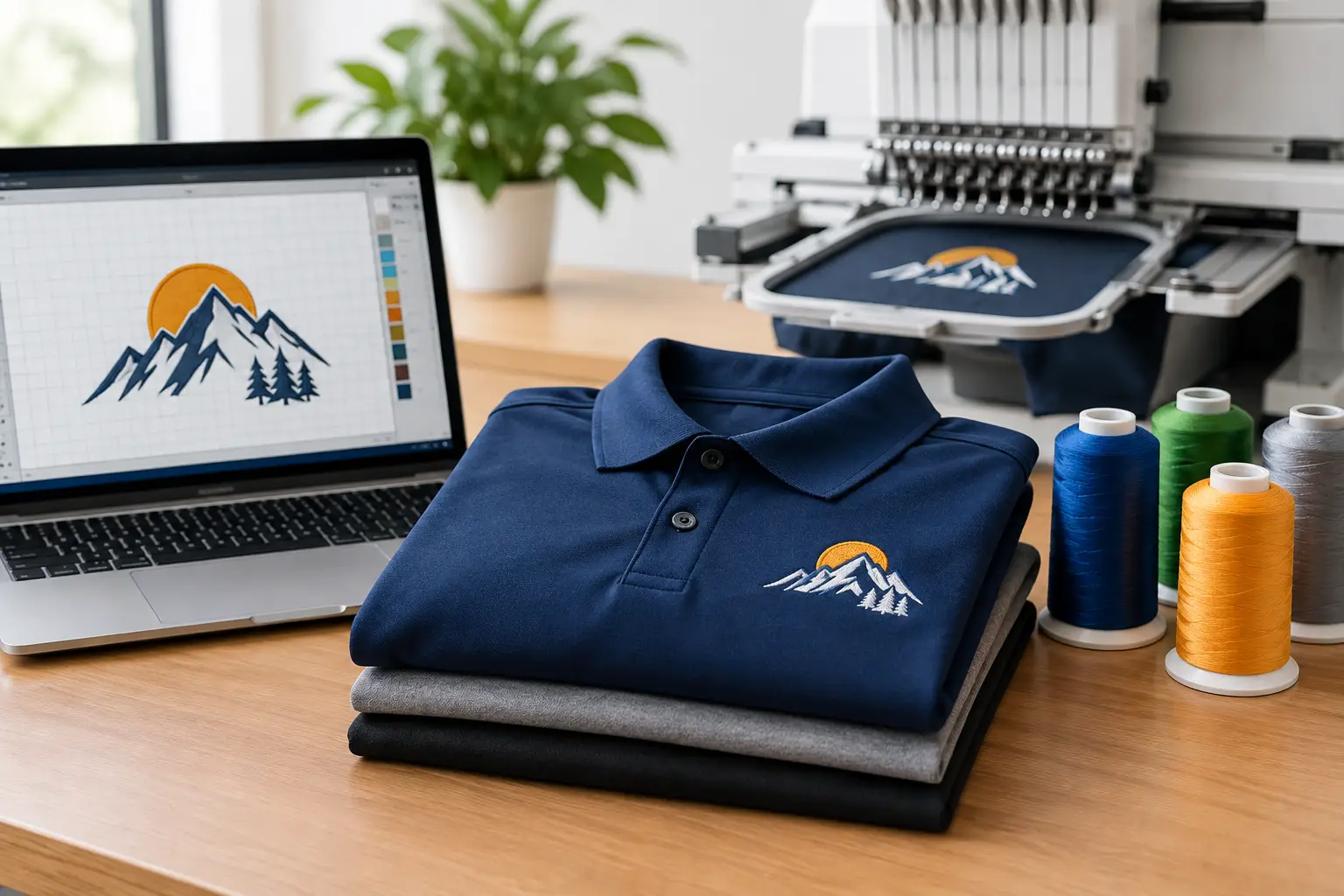
A sharp embroidered logo begins long before a needle reaches the garment. When customers ask what file formats embroidery accepts, the practical answer is that most common logo files can be used as a starting point. The better question is whether the file contains enough clean, usable artwork to be digitized into a polished stitch design.
Embroidery machines do not read a standard logo file the same way a printer does. Your artwork must first be converted into a stitch file that tells the machine where to place stitches, which thread colors to use, where to trim, and how to build the design. This process is called digitizing, and it has a major effect on the finished look of your polos, caps, jackets, workwear, and uniforms.
What File Formats Does Embroidery Accept?
Most embroidery providers can work from vector artwork, high-resolution image files, PDFs, and existing embroidery files. However, those formats are not equal when it comes to creating accurate, consistent embroidery.
Vector files are typically the best starting point for corporate logos. They use mathematical paths rather than fixed pixels, so logos stay crisp at any size. Common vector formats include AI, EPS, SVG, and vector-based PDF files. If your company has original logo artwork from a designer or agency, ask for one of these files first.
High-resolution PNG, JPG, TIFF, and PSD files can also be useful, particularly when no vector file is available. A large, clear image with strong contrast gives a digitizer a reliable reference for recreating lettering, shapes, and colors. A small screenshot pulled from a website, social media profile, or email signature may still help identify the design, but it can require additional cleanup before production.
Existing embroidery machine files can be useful when you are reordering a design that has already been sewn. Common examples include:
- DST, a widely used commercial embroidery format
- EMB, often associated with Wilcom embroidery software
- PES, commonly used for Brother machines
- EXP, JEF, VP3, and XXX, which may be used by other software and machine systems
A machine file can speed up setup, but it should not be treated as a guaranteed production-ready asset. Different machines, hoop sizes, garment types, and logo placements may call for adjustments. A cap logo, for example, is digitized differently from the same artwork on the left chest of a polo.
Why a Logo File Is Not Yet an Embroidery File
A PNG, PDF, or AI file shows what your logo should look like. An embroidery stitch file instructs production equipment how to sew it. Those are two very different jobs.
During digitizing, a trained specialist chooses stitch types, stitch direction, density, underlay, pull compensation, and thread sequence. These decisions help a logo hold its shape once it is stitched into fabric. Fine details that look excellent on a screen can become crowded, distorted, or difficult to read when rendered in thread.
For business buyers, this distinction matters because embroidered apparel often becomes a long-term brand asset. A design may be repeated across employee polos, safety jackets, quarter-zips, caps, bags, and event apparel over months or years. Quality digitizing protects brand consistency across those orders.
The Best File Types for Your Logo
If you have multiple artwork options, send the cleanest original file available. An AI or EPS file is usually preferred because it gives the embroidery team precise edges, editable colors, and clear separation between logo elements. A print-ready PDF can be equally helpful if it contains vector artwork rather than a low-resolution image placed inside a PDF.
A high-resolution PNG is often the next best choice. It should be large enough to show every letter and design element clearly, ideally with a transparent or plain background. PNG files are especially useful for logos with solid colors, but they can be less effective when the image is small, blurry, or compressed.
JPG files are accepted frequently, but they deserve a closer look. Because JPG compression can soften edges and create artifacts around lettering, a low-quality JPG can make exact logo recreation more difficult. If a JPG is all you have, send the largest original version instead of a cropped image from a document or web page.
Photos, scans, and screenshots can also provide a starting point. They may be enough for a simple logo with bold lettering and limited colors. For detailed brand marks, however, a designer or digitizer may need to redraw portions of the artwork before it can be embroidered cleanly.
Artwork Details That Affect Embroidery Quality
File format is only part of the equation. The logo itself must be suitable for thread. Embroidery adds dimension and texture, but thread has physical limits that ink and pixels do not.
Small text is one of the most common challenges. Letters that are readable in a digital logo may be too small to sew cleanly on a left-chest placement. In many cases, the solution is to simplify the design, enlarge the lettering, remove a tagline, or create a separate embroidery version of the logo. That is not a compromise in professionalism. It is how experienced decoration teams preserve legibility on apparel.
Fine lines, tiny gaps, gradients, and photographic effects may also need adjustment. A gradient usually cannot be reproduced as a smooth transition in standard embroidery thread. It may be replaced with solid thread colors, simplified shading, or a different decoration method depending on the garment and intended result.
Fabric matters as well. A structured cap front, lightweight performance polo, fleece jacket, and heavyweight work shirt all behave differently under embroidery. The right backing, stabilizer, hooping method, and digitized stitch settings help the design look clean on the product you selected.
How to Submit Artwork for an Embroidery Order
Start by providing your best available logo file and any brand guidelines you have. If your organization uses specific PMS colors, include those references. Thread colors are matched as closely as possible, though thread and printed ink can appear somewhat different because of texture, lighting, and the fabric beneath the stitches.
It also helps to explain how the logo will be used. Let the production team know whether it will appear on polos, hats, outerwear, uniforms, or bags, and whether you need a left-chest logo, full-back design, sleeve detail, or cap placement. If you have used the logo before, share a photo of the finished item and any concerns from previous orders.
Before production begins, review the digital proof carefully. Confirm spelling, logo orientation, thread colors, placement, and size. This is the best time to request changes. Once artwork is approved, production can move forward with a clear standard for the entire order.
Can You Use an Existing DST File?
Yes, an existing DST file may be accepted, especially for a repeat logo. Still, a DST file does not contain all of the editable artwork information found in the original source file. It is essentially a set of stitch instructions, not a flexible logo master.
If the design needs resizing, color changes, placement adjustments, or use on a different fabric, the file may need to be edited or re-digitized. Keeping both your original vector logo and your approved embroidery file gives you the strongest foundation for future orders.
For recurring uniform programs, establish an approved decoration standard early. That means documenting the correct logo version, thread colors, placement, and dimensions for each garment category. It makes reorders faster and helps every new employee receive apparel that matches the rest of the team.
Choose the File You Have, Then Let Expertise Handle the Stitches
Do not delay an apparel project because you are unsure whether your file is “right.” Send the best version you have, whether it is an AI file, PDF, PNG, JPG, or prior embroidery file. A capable embroidery team can assess the artwork, explain any needed adjustments, and prepare a proof before production.
At LOGO USA, in-house digitizing and USA-based production help keep that process accountable from artwork review through final decoration. A clear logo file and an approved proof are the simplest way to turn branded apparel into a consistent, professional representation of your business.
Popular Blogs
What File Formats Does Embroidery Accept?
October 12, 2026